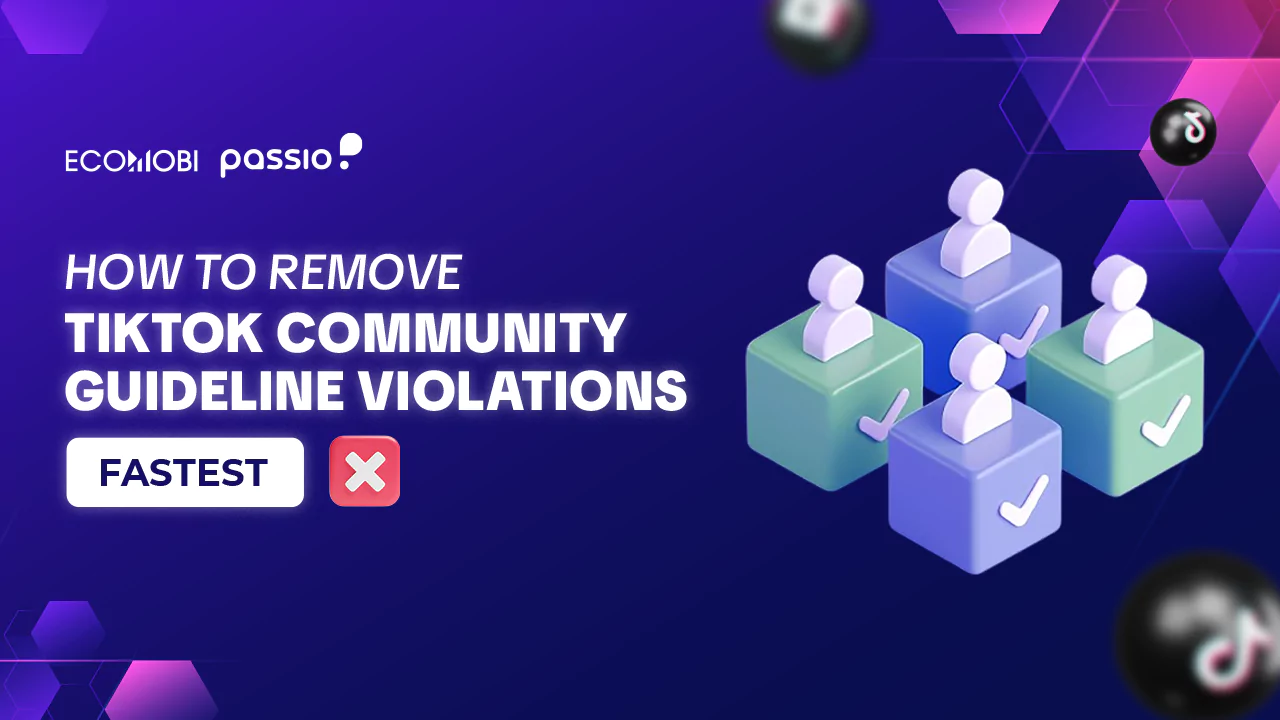
Many TikTok users face account bans due to violations of the platform’s Community Guidelines. If you’re wondering how to unban TikTok account, the good news is that there are ways to appeal and potentially restore access. Whether your ban is temporary or permanent, this guide will walk you through the necessary steps to get your account back.
What is Tiktok Community guidelines violation?
TikTok has a set of community guidelines designed to protect users from harmful or inappropriate content and to ensure a healthy online environment. A violation of TikTok’s community guidelines occurs when content is posted or shared that does not comply with TikTok’s regulations on safety, security, and ethics.
Types of Tiktok community guidelines violation
- Violations content: Promoting or inciting violence, self-harm; Threatening, bullying, or harassing others; Sharing violent images, accidents, attacks, or dangerous actions.
- Spreading misinformation: Disseminating fake news or false information that causes public panic; Posting misleading or distorted content intended to deceive or manipulate viewers.
- Sexually Explicit Content: Posting images, videos, or audio containing sexual or pornographic content, including nudity or explicit descriptions of sexual acts.
- Profanity and offensive language: Using vulgar, offensive, or abusive language, including sarcasm or insults.
- Intellectual property violations: Using copyrighted music or images without the owner’s permission.
- Impersonation and fraud: Creating fake accounts to deceive users or falsely advertise products/services; Engaging in spam activities or fraudulent advertising, which are also considered violations.
- Suicide and self-harm content: Posting content related to suicide, self-harm, or encouraging such behaviors.
For more details: Visit TikTok livestream policy: Essential rules for content creator (Update) or TikTok Community Guidelines to read the full regulations and standards.
Types of Tiktok account ban
Tiktok shadow ban
A shadow ban is a restriction on a user’s account in a way that is not immediately noticeable. Instead of an outright ban, TikTok limits the account’s visibility, preventing other users from seeing the content posted by the affected account.
If you notice a significant drop in audience engagement and interactions with your content, your TikTok account may be shadow banned. This restriction can apply to both TikTok videos and livestreams.
Tiktok comment and Livestream Ban
This type of ban occurs when an account violates TikTok’s content policies. For example, if a comment you post is flagged as offensive by TikTok’s algorithm or reported by users, your account may be banned from commenting and livestreaming. Additionally, if you say or do something during a livestream that is deemed a violation of TikTok’s community guidelines, you may face restrictions.
Temporary TikTok account ban
If you repeatedly post comments or conduct livestreams that violate TikTok’s community guidelines, the platform may impose a temporary ban on your account. This is considered a serious violation, and TikTok enforces temporary bans to prevent further misconduct.
To avoid a permanent ban, it is essential to stay updated on TikTok’s latest livestream policies.
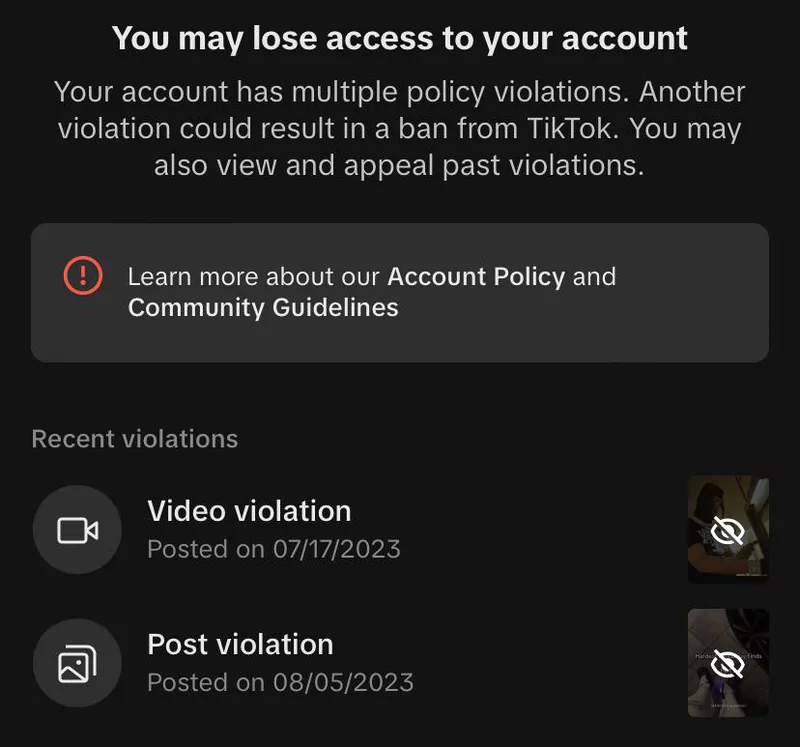
Warnings issued to your TikTok account will expire after 90 days, but be aware: TikTok keeps track of the number of warnings, and if your account reaches a certain threshold, it may be permanently banned.
Permanent TikTok account ban
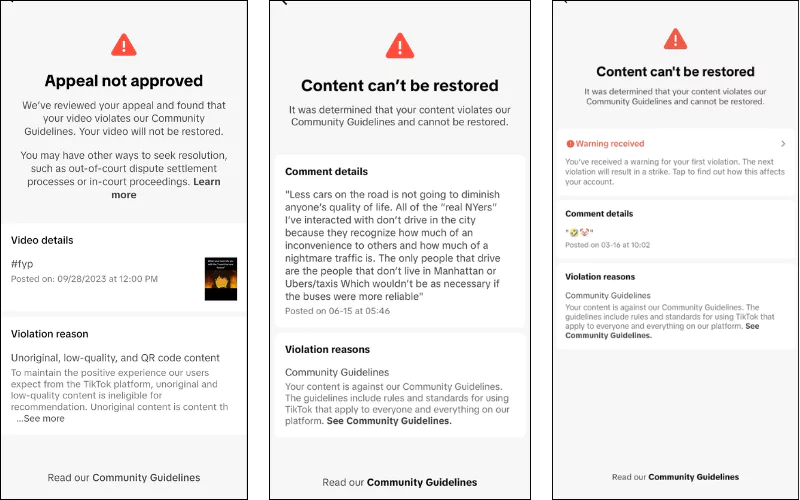
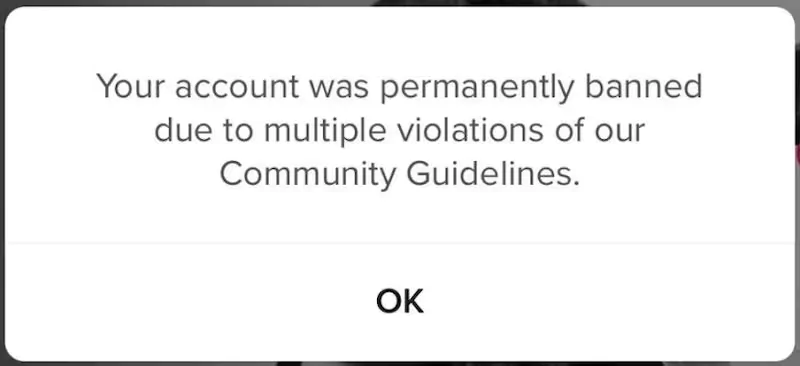
A permanent ban is the most severe form of account restriction on TikTok. It occurs when a user repeatedly violates TikTok’s rules and community guidelines, accumulating multiple warnings (strikes).
If your account is permanently banned, you will receive a notification upon login informing you of the restriction. You can also check your violations in the Account Status section of the app.
How to unban a TikTok Account: Step-by-Step Guide
Now comes the part that many TikTok users who’ve been “struck” by a violation have been eagerly waiting for: Can you remove a TikTok ban? – The short answer: It depends.
Based on appeals submitted through Ecomobi’s creator community, accounts banned for first-time content violations typically receive a response within 6 – 12 hours. Accounts with multiple prior strikes tend to take 3 – 7 business days. In most cases reviewed, appeals that included a clear explanation and referenced the specific video (not just a general statement) had a higher success rate
Whether or not you can lift the ban on your account depends on the type of restriction applied. If you notice that your account or content has been flagged for violating TikTok’s guidelines, you can follow these steps to appeal:
Method 1: Appeal a Temporary TikTok Ban
A temporary suspension on TikTok typically lasts between 24 to 48 hours, depending on the severity of the violation. During this period, you won’t be able to perform any actions on your account. These bans are automatically lifted after the specified time.
These temporary bans are automatically lifted after the set duration. However, if you receive multiple temporary bans because of TikTok livestream policy or Community Guidelines Violations, TikTok may escalate the issue and permanently ban your account. To avoid this, follow TikTok’s guidelines carefully.
Read more:
Method 2: Appeal a Permanent TikTok Ban (In-App)
If TikTok has permanently banned your account, you can submit an appeal. Here’s how:
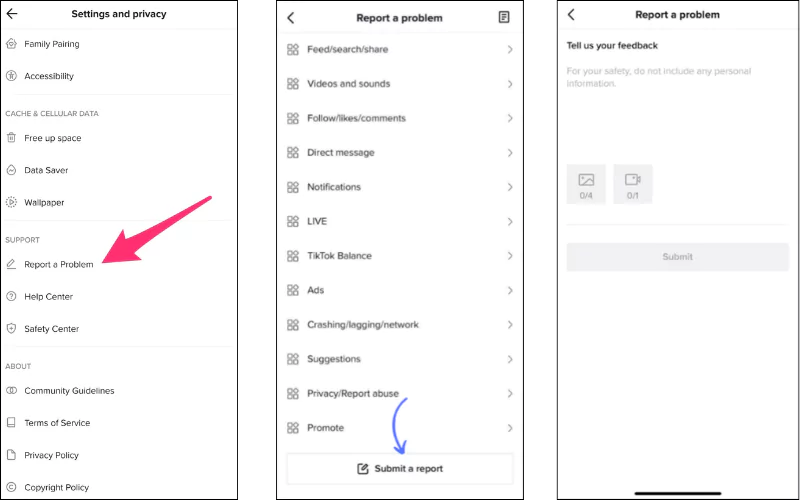
- Open the TikTok app, go to your Profile, and tap the three-line menu in the upper right corner.
- Select Settings and Privacy, then tap Report a Problem.
- Tap the paper icon in the top right corner, then select the pen icon to create an appeal request.
- Fill in the details of your violation, explain your case, and attach any supporting evidence (if available).
- Tap Submit Report. TikTok’s customer support team typically takes 6 – 8 hours to respond to user inquiries.
| Violation type | First penalty | Permanent ban threshold |
|---|---|---|
| Minor content (spam, clickbait) | Video removed, 24–48h ban | 5+ strikes in 90 days |
| Moderate (harassment, misinformation) | Video removed, 7-day ban | 3 strikes in 90 days |
| Severe (violence, CSAM, fraud) | Immediate permanent ban | 1 strike (no appeal) |
Method 3 – Unban tiktok account appeal via Email
If you strongly believe that your account ban was a mistake and that you did not violate TikTok’s policies, you can send a detailed email appeal. Explain your situation as clearly as possible and provide relevant information to support your claim.
Below are some official TikTok email contacts for reference:
- Business inquiries: Business-supportservices@tiktok.com
- Legal issues: Legal@tiktok.com
- Creator support: Creators@tiktok.com
- General inquiries: Info@tiktok.com
- Privacy concerns: Privacy@tiktok.com
How to prevent getting banned on TikTok
The best way to unban a TikTok account is to never need to in the first place. Here are the key rules:
- Follow the Community Guidelines on every video. Before posting, check: does this content contain violence, nudity, dangerous challenges, or misleading claims?
- Avoid using unverified audio tracks. Copyrighted music is one of the most common causes of strikes. Use sounds from TikTok’s licensed library.
- Do not engage in follow-for-follow or engagement pods. Artificial engagement triggers spam detection and can result in a shadow ban within 24 – 72 hours.
- Check your Account Status regularly. Go to: Profile → Settings and Privacy → Account → Account Status.
- Respond to violations quickly. If you receive a strike, appeal within 24 hours for the fastest response.
What to do immediately if you’re a TikTok affiliate and your account gets banned?
- Screenshot and document your Account Status. Go to Profile → Settings → Account Status.
- Notify your affiliate network or MCN immediately. Networks like Ecomobi can sometimes facilitate faster resolutions.
- Pause all pending campaigns. Check your dashboard for any pending commission validations.
- Do not create a new account to continue promoting – this may violate both TikTok’s and your affiliate network’s terms.
- Submit your appeal and set a follow-up reminder for 24 hours (minor) or 5 business days (permanent ban).
FAQs about unbanning a TikTok Account
How long does a TikTok ban last?
It depends on the type of ban. A temporary ban typically lasts 24 to 48 hours and lifts automatically, no action needed. A comment or livestream ban can last 1 – 7 days depending on severity. A permanent ban does not expire on its own; you must submit an appeal through the app or via email. Shadow bans usually resolve within 1 – 2 weeks if you stop posting the type of content that triggered them
How many violations before TikTok permanently bans an account?
TikTok follows a strike system for violations:
First offense: Minor violations result in video removal and temporary restrictions (24–48 hours).
Warnings & Strikes: TikTok operates on a strike system. If your account accumulates multiple warnings (usually three or more, depending on severity), you risk a permanent ban.
Severe violations: Actions such as promoting violence, child exploitation, or fraudulent activities can result in an immediate ban without prior warnings.
Why is my TikTok account banned for no reason?
TikTok’s automated moderation system sometimes flags accounts incorrectly, this is known as a “false positive” ban. Common causes include: using sounds or audio that TikTok’s system misidentifies as copyrighted; posting content that visually resembles previously banned content; rapid follower growth that triggers spam detection; or logging in from a new device or IP in a different country.
If you believe your ban is a mistake, submit an appeal through Settings → Report a Problem and clearly state that you did not violate any guidelines
Can I create a new TikTok account after being banned?
TikTok allows users to have multiple accounts, but you cannot create a new account to bypass an existing ban. If your previous account was banned for serious violations, it’s best to file an appeal first.
If you do create a new account, make sure to follow all Tiktok community guidelines strictly and avoid repeating any previous mistakes. However, TikTok may still detect and restrict new accounts if they believe you’re attempting to evade a prior ban.
What is the difference between a TikTok account suspended and a banned account?
A suspended TikTok account is usually temporary – your account is restricted for a set period (hours to days) but will be automatically restored. A banned account, especially a permanent ban, means TikTok has decided to remove your account from the platform entirely, and you must submit a formal appeal to have it reviewed. In both cases, you will see a notification when you try to log in explaining the status of your account.
If your TikTok account has been banned, don’t panic. By following the ways to unban Tiktok Account above, you may be able to recover your Tiktok account. To avoid future bans, always adhere to TikTok’s Community Guidelines, create engaging content within the platform’s rules, and steer clear of sensitive topics.
– Fanpage: https://www.facebook.com/ecomobi.ssp
– Tiktok: https://www.tiktok.com/@ecomobipassiophilippines
– Instagram: https://www.instagram.com/ecomobi.philippines
– Tiktok Affiliate Partner (TAP): creator.ph@ecomobi.com
– Tiktok LinkShare: Hung Nguyen – Social Seller Development
Viber: +84 913 697 929 | Group Viber
Email: hungnq@ecomobi.com
Facebook: Official contact page