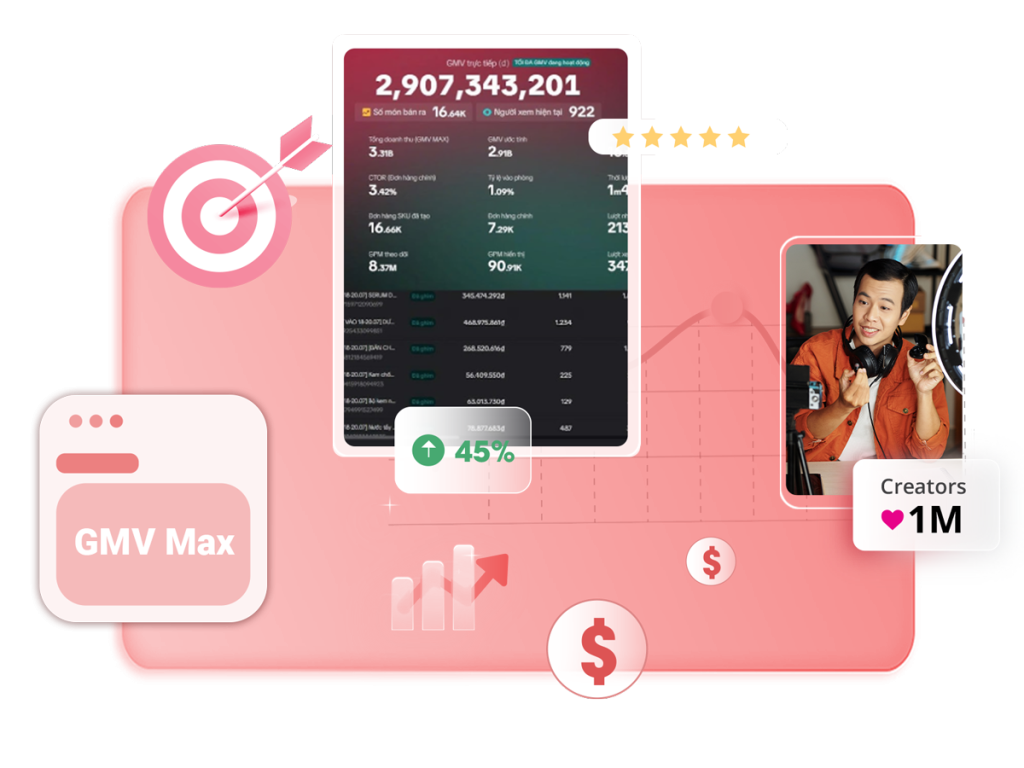


Livestreaming on TikTok is one of the most effective ways to engage audiences, boost brand awareness and increase revenue, especially for creators in Vietnam, the Philippines, Thailand, and across Southeast Asia, where TikTok Shop affiliate marketing is growing fastest. However, to ensure a safe and appropriate streaming environment, TikTok enforces a strict Tiktok livestream policy. To help you navigate TikTok’s evolving regulations, Ecomobi has compiled the latest livestream policies, common mistakes to avoid, and essential tips to maintain a successful channel.
TikTok Livestream Policy at a glance
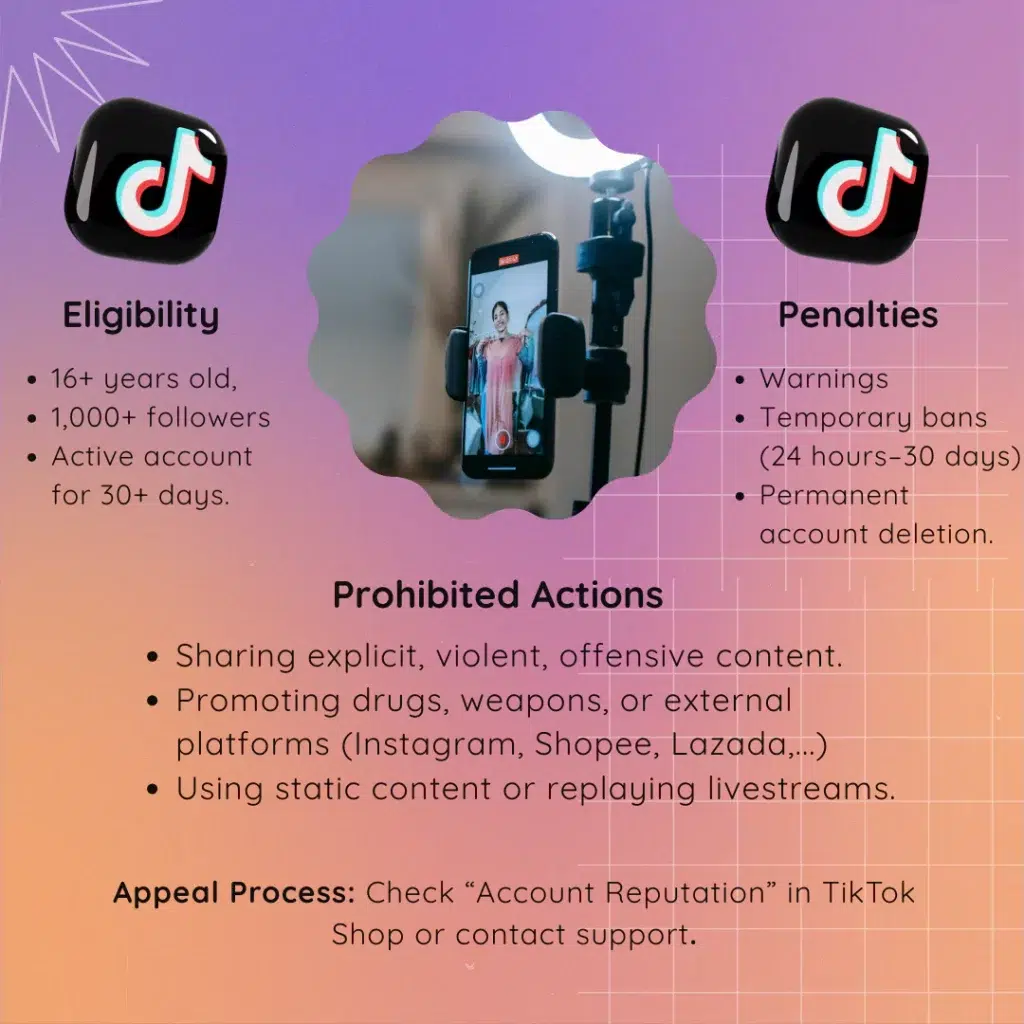
The TikTok livestream policy outlines what’s allowed (and what’s not) when going live. These rules keep the platform safe and enjoyable while aligning with TikTok’s focus on user retention and content quality. Here’s a quick overview of the TikTok live rules:
TikTok’s livestream eligibility – Who can livestream on Tiktok?
To go live on TikTok in 2026, you must meet these requirements:
- Age: You must be at least 16 years old to go live. Only users 18+ can receive virtual gifts
- Follower: Your account needs at least 1,000 followers (exceptions below)
- Account Age: TikTok recommends accounts be active for at least 30 days
- Compliance: Accounts with prior TikTok Community Guidelines violations may face restrictions.

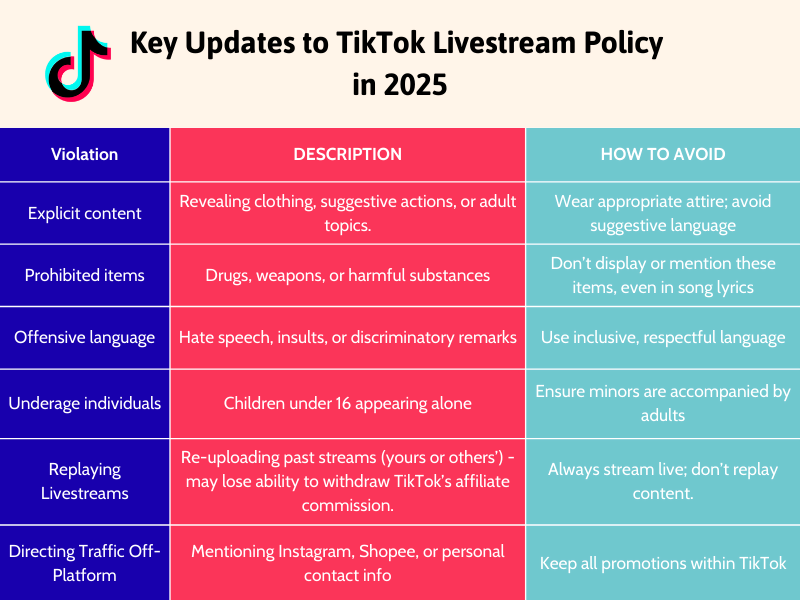
[Update] TikTok Livestream Policy: Avoiding Bans
TikTok’s 2026 updates emphasize authenticity, engagement, and platform safety. Violating these rules can lead to warnings, temporary bans, or permanent account suspension. Here are the key changes and how to stay compliant:
Read more:
TikTok Live rule: No Off-platform links or promotion
TikTok is all about “user retention“. The platform wants users to stay on TikTok, which is why it strictly prohibits any behavior that tries to redirect viewers elsewhere. TikTok live rules includes:
- Sharing personal contact info (phone numbers, addresses,…)
- Mentioning other platforms (Instagram, Facebook, Shopee, Lazada,…)
- Using QR codes or external links.
TikTok Policy 2026: Why static Livestreams are now banned?
Initially, static livestreaming was used to extend livestream duration – one of the ways to get more views on TikTok livestreams. But now, TikTok has tightened regulations to ensure high-quality, engaging content.
To avoid violating this TikTok livestream policy, you need to:
- Maintain regular interaction with your viewers. Talk to them, respond to comments!
- Appear live and actively introduce products or services.
- Avoid using slideshows or static images for extended periods.
- Never leave the screen static with no activity or presenter present.
Strict brand promotion rules
Unauthorized brand promotion can trigger bans. Guidelines include:
- Hide major brand logos (Nike, Gucci) unless you’re an official distributor.
- Disclose affiliate partnerships (like Ecomobi) transparently.
Livestream content consistency rules on TikTok
Your livestream content needs to be focused and relevant. Inconsistent content can lead to violations. Ensure your stream:
- Focuses on the declared topic, product, or service.
- Maintains relevance between your promotional content and the actual products you’re showcasing.
- Avoids going off-topic or suddenly promoting unrelated items.

Prohibited words and content in TikTok Livestreams
According to TikTok’s Community Guidelines (updated Q1 2026), to avoid bans, steer clear of these prohibited words and topics:
- Absolute terms: “permanent,” “100% effective”, “100% authentic”,…
- Offensive language: Hate speech, insults, or discriminatory remarks.
- Brand names/logos: Avoid mentioning names of other social media platforms or e-commerce sites like Facebook, Zalo, Shopee, Lazada, Instagram,… Don’t mention names of major brands like Nike, Dior, Zara, Adidas, Chanel, Louis Vuitton,….(and must hide logos).
- Sensitive words: “sexy,” “seductive,” “revealing,” “provocative”
- Finance-related words: “investment,” “loans,” “quick money-making”.

Penalties for violating TikTok Livestream Policy
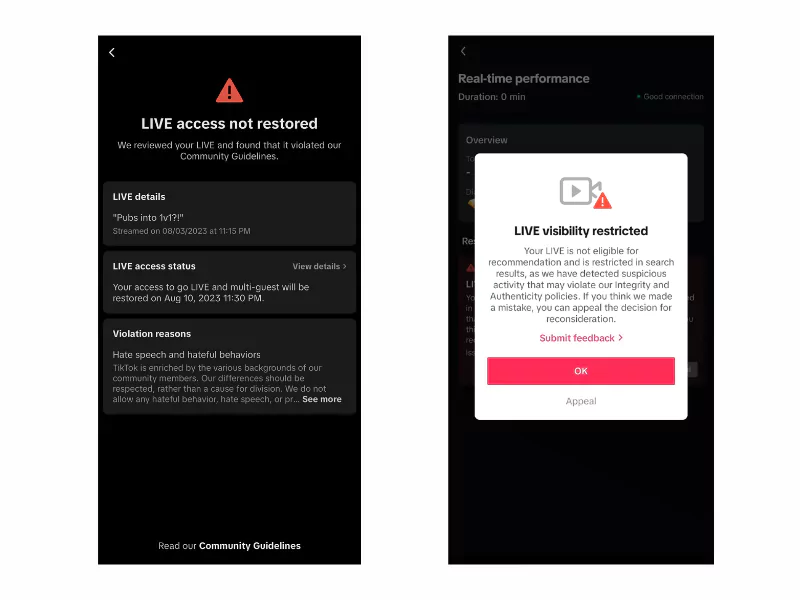
When TikTok detects a violation during a livestream, the platform applies different penalties depending on the severity of the infraction:
| Violation type | What happens | Duration |
|---|---|---|
| ⚠ Warning | Reduced visibility or disabled comments. Watch for sudden drops in viewership. Continue streaming – do not repeat the same mistake to prevent further restrictions. |
Until corrected |
| ⛔ Temporary ban | Livestream access suspended for serious violations. You may appeal via TikTok’s Guidelines Removal Process if issued in error. See also: 2 ways to unban TikTok account. |
24 – 48 hours or 7 – 30 days |
| 🔒 Feature limit | Interactions restricted; reach reduced, making streams harder to discover. Applies after repeated violations — even if no full ban is issued. |
Indefinite |
| ✕ Permanent ban | Account permanently deleted without warning. Triggered by sensitive content, fraud, copyright infringement, or repeated serious infractions. | Permanent |
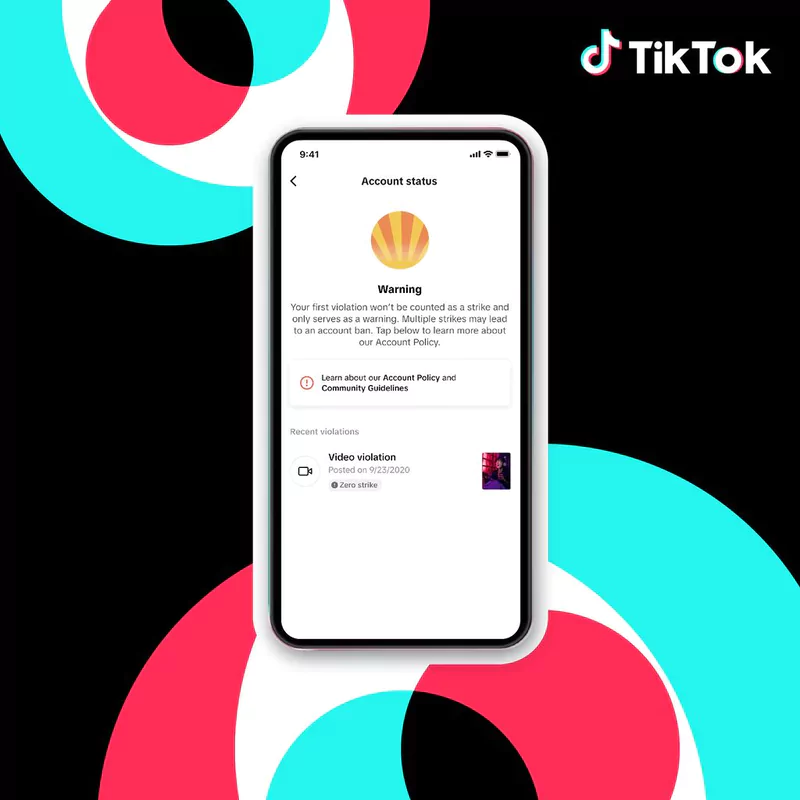
Note: Under TikTok’s repeat-offense system, each violation removes the content and adds a warning strike. Accumulating strikes may result in a permanent ban.
Appealing a TikTok Livestream ban: Step-by-Step Guide
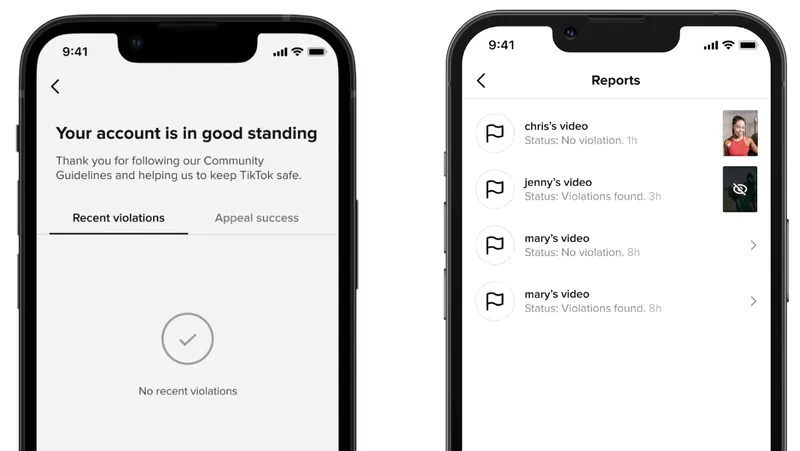
How to check volations
Creators can check if their account has received any warnings within the last 90 days. This information is available in the “Account Status” section within the app’s Safety Center.
How to appeal a Tiktok ban:
Mobile: Profile → Shopping Cart → TikTok Shop Management → Account Reputation → Select violation → Appeal.
Desktop:
- Go to shop.tiktok.com/streamer/welcome and navigate to “Account Reputation” to check detailed violation information, similar to the mobile platform. Then, submit your appeal request.
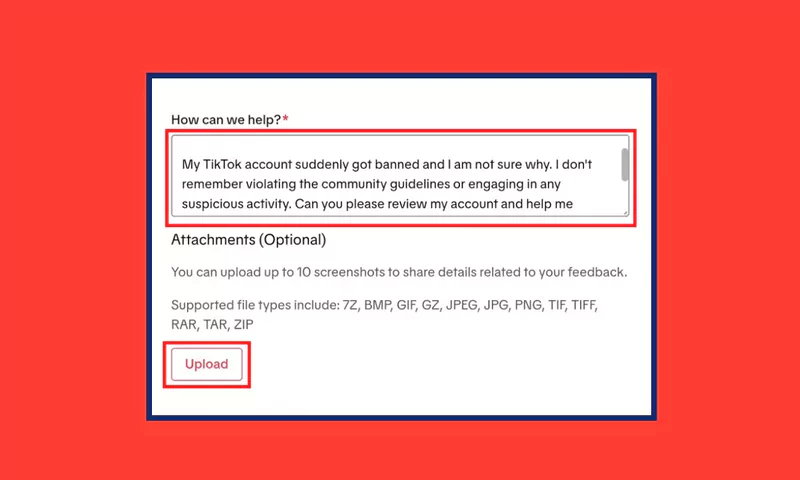
- Additionally, you can contact TikTok’s support team directly: Visit TikTok Support → Click “Report a Problem” and follow the platform’s guided steps to report your issue.
Important notes:
- Provide detailed reasons for your appeal and attach any supporting documents to help TikTok process your request faster.
- Processing time depends on the volume of requests and TikTok’s internal review procedures.
- To avoid account bans, users should strictly follow TikTok’s community guidelines.
5 Pro tips to skyrocket your Tiktok livestream engagement
Boost your livestream success with these expert strategies:
- Hook view early: Greet viewers by name and ask questions in the first 5 minutes to build rapport.
- Use visuals: When go live on TikTok, show products live, demo features, or use vibrant backgrounds.
- Stay on-topic: Align content with your niche to avoid TikTok LIVE Guidelines violations
- Monitor comments: Respond to viewer questions live to boost interaction.
- Schedule streams: Announce livestreams via TikTok posts to build anticipation.
Read more:
FAQs about TikTok Livestream Policy
Can I mention my website during a livestream?
No, mentioning websites, social media platforms, or personal contact info violates TikTok’s policy and risks a ban.
What happens if I accidentally violate a rule?
Minor violations may trigger a warning or reduced visibility. Correct the issue immediately and appeal if needed
How do I check my account’s violation status?
Go to “Account Reputation” in TikTok Shop or check “Account Status” in the Safety Center
Can I use brand logos in my livestream?
Avoid logos from major brands (Nike, Gucci,…) unless you’re an authorized distributor
TikTok Livestream is a powerful tool for brand visibility and revenue generation. However, content creators must be cautious and comply with TikTok livestream policy to avoid penalties. Stay updated with the latest affiliate marketing insights by following Ecomobi Blog. Ecomobi is your trusted partner on the journey to increasing income through affiliate marketing!
Contact Us:
– Fanpage: https://www.facebook.com/ecomobi.ssp
– Instagram: https://www.instagram.com/ecomobi.philippines
– Tiktok: https://www.tiktok.com/@ecomobi.philippines
– Support TAP: creator.ph@ecomobi.com
– Support Tiktok LinkShare: Hung Nguyen – Social Seller Development
Viber: +84 913 697 929 | Group Viber
Email: hungnq@admin_ecomobi
Facebook: Official contact page